
Table of Contents
ToggleIn today’s digital age, a reliable home network isn’t just a luxury; it’s a necessity. Imagine streaming your favorite show while your kids are gaming and your partner’s on a video call—all without a hitch. Sounds dreamy, right? But without proper home networking installation, that dream can quickly turn into a buffering nightmare.
Overview of Home Networking Installation
Home networking installation involves setting up the necessary components to create a reliable internet connection. A well-planned network ensures seamless streaming, gaming, and video calls. Key elements include routers, switches, and cabling.
Routers serve as the central hub for internet access, connecting devices wirelessly or through Ethernet cables. Selecting a high-quality router is crucial. They impact speed and range, directly affecting user experience.
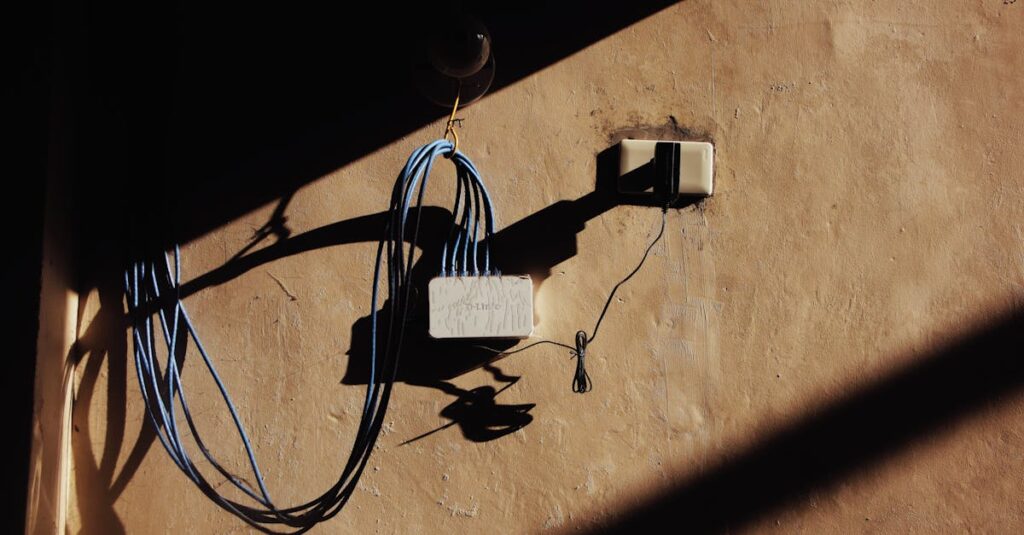
Switches extend the network by connecting multiple devices, enabling wired connections for higher stability. They’re especially important in homes with many devices requiring reliable connections.
Cabling also plays a vital role in home networking. Ethernet cables provide faster speeds and lower latency compared to wireless connections. Using CAT6 or CAT7 cables offers better performance and future-proofs the network.
Installation requires careful planning. Evaluating the home layout helps determine the optimal router placement, ensuring maximum coverage and reducing dead zones.
Testing the network after installation confirms that everything functions correctly. Speed tests reveal whether speeds meet the user’s expectations, ensuring the investment delivers the desired results.
Incorporating network security measures protects personal information from threats. Implementing strong passwords and enabling encryption secures the network.
With proper installation, a home network performs efficiently, reducing frustration from buffering during key activities. Investing in quality equipment and thoughtful setup leads to a better overall digital experience.
Types of Home Networking
Home networking solutions typically fall into two categories: wired networking and wireless networking. Each type serves distinct needs and varies in implementation and performance.
Wired Networking
Wired networking relies on physical cables to create a connection between devices. Ethernet cables, specifically CAT6 or CAT7, offer high-speed and reliable internet access. Users often experience lower latency and faster data transfer rates compared to wireless options. Installation generally requires running cables through walls or floors, ensuring optimal placements for routers and switches. Homes with multiple devices benefit from wired networking, as it connects devices like desktop computers and gaming consoles directly. This setup minimizes interference and maximizes stability, particularly in areas where heavy internet usage occurs.
Wireless Networking
Wireless networking provides convenience by connecting devices without physical cables. Wi-Fi technology allows users to access the internet from various locations within their homes. Modern routers capable of dual-band or tri-band functionality increase speed and range, accommodating numerous devices simultaneously. Network coverage can vary depending on factors such as home layout and obstructions. Utilizing a mesh Wi-Fi system can enhance these connections, effectively spreading signals to eliminate dead zones. Securing wireless networks with strong passwords and encryption remains essential for protecting personal data while enjoying flexibility in device connectivity.
Essential Equipment for Home Networking
A well-functioning home network requires specific equipment to ensure optimal performance. Key components include routers, switches, and access points, all vital for reliable connectivity.
Routers and Modems
Routers serve as the central point for internet access, directing data traffic between devices and the internet. Selecting a high-quality router significantly impacts speed and range. Modems connect the router to the internet service provider, converting signals for device compatibility. Dual-band and tri-band routers enhance wireless capabilities, handling multiple devices efficiently. For homes with extensive streaming or gaming, investing in a powerful model ensures smooth operation. Prioritize routers that provide robust security features, protecting data from unauthorized access.
Switches and Access Points
Switches enhance wired network capability by connecting multiple devices, offering stable connections. Many users find them especially beneficial in homes with various electronics. Access points expand wireless network coverage, eliminating dead zones and improving signal strength. In larger homes, deploying multiple access points ensures consistent connectivity throughout the space. Switches typically function alongside routers, while access points enhance flexibility for wireless devices. Selecting the right combination optimizes network performance and user experience.
Steps for Successful Installation
Successful home networking installation requires careful planning and precise execution. Taking the following steps ensures a reliable and efficient network setup.
Planning the Network Layout
Evaluate the home’s architecture to identify optimal router placement for maximum coverage. Consider the location of devices that require internet access when determining where to position the router. Use a floor plan to mark potential dead zones, ensuring minimal interference from walls or furniture. Analyze the number of devices that will connect to the network, prioritizing a layout that supports several concurrent users, especially during high-traffic times. Planning for expansion allows users to accommodate future devices seamlessly.
Installing Hardware Components
Begin by connecting the modem to the internet service provider’s outlet. Next, connect the modem to the router using an Ethernet cable, establishing the main access point. Install switches as necessary to support wired connections for devices, enhancing speed and reliability. Access points can be incorporated to extend wireless coverage, particularly in larger homes. Ensure all devices receive power before configuring network settings for security and performance optimization. Conduct tests after installation to verify connectivity and speed, addressing any issues quickly for a smooth user experience.
Troubleshooting Common Issues
Home network issues often arise, disrupting daily activities. Slow internet speeds frequently occur due to network congestion or inadequate equipment. It’s crucial to check the router’s specifications, ensuring the device can handle multiple connections efficiently.
Connection drops can frustrate users, particularly during streaming or gaming. Evaluating the distance between the router and devices helps identify potential interference. Devices may struggle to maintain a stable connection if too far away from the router or obstructed by walls.
IP conflicts create connectivity problems when two devices attempt to use the same IP address. Assigning static IP addresses for important devices prevents this issue. It’s essential to regularly restart the router to refresh its settings and resolve temporary glitches.
Wi-Fi coverage issues lead to dead zones where connectivity is weak or non-existent. Strategic placement of access points or additional routers often fixes coverage problems in larger homes. Utilizing CAT6 or CAT7 cables for wired connections ensures faster speeds, directly addressing latency issues.
Security vulnerabilities can expose personal data, particularly in poorly configured networks. Setting up a strong firewall and using WPA3 encryption enhances security measures. Changing default login credentials for routers also helps secure the network from unauthorized access.
Finally, software updates for routers and other network equipment frequently address bugs and vulnerabilities. Regularly checking for firmware updates ensures optimal performance and security. Keeping equipment up-to-date reflects best practices in maintaining a reliable home network.
A well-installed home network is key to enjoying a smooth digital experience. By selecting quality equipment and planning the layout effectively, users can eliminate frustrating connectivity issues. Prioritizing security features and ensuring the right mix of routers, switches, and access points will enhance both performance and safety.
Regular maintenance and troubleshooting can further optimize the network, keeping it reliable for all online activities. Investing time and resources into a robust home networking setup not only improves daily tasks but also future-proofs the home for evolving digital demands. With the right approach, anyone can achieve a seamless and efficient home network that meets their needs.


